
If you want Chinese budget gadgets that are genuinely usable this year, focus on three things: stable firmware, predictable battery behavior, and accessories with proper safety markings. AliExpress can be a great place to buy-if you filter by seller history, choose proven form factors, and match features to your persona (power user, value hunter, or everyday user).
What Makes These AliExpress Gadgets Worth Buying
- Clear, testable specs (ports, codecs, charging standards) instead of vague marketing terms.
- Low risk of "feature lock" issues: core functions work without a companion app or region hacks.
- Accessory ecosystem: cases, tips, straps, mounts are easy to find and cheap to replace.
- Power and charging safety is verifiable (USB-C PD/QC stated consistently across listing photos and manual screenshots).
- Reasonable returns strategy: local warehouse option, or small-ticket items where partial refund is acceptable.
- Upgradeable usage: the gadget still makes sense when you change phone/laptop next year.
Byline: Written for Thailand readers by ทศพล พิทักษ์วงศ์. If you search Thai terms like แก็ดเจ็ตราคาถูกจากจีน or ของใช้ไอทีราคาถูกจาก AliExpress, use the checklists below to avoid "looks good on the page, disappointing in hand."
Best Budget Smartphones on AliExpress: Performance vs Price
When you plan to ซื้อแก็ดเจ็ต AliExpress in the smartphone category, avoid chasing peak specs. Prioritize the parts that determine day-to-day smoothness and long-term usability.
Selection criteria that actually predict a good budget phone
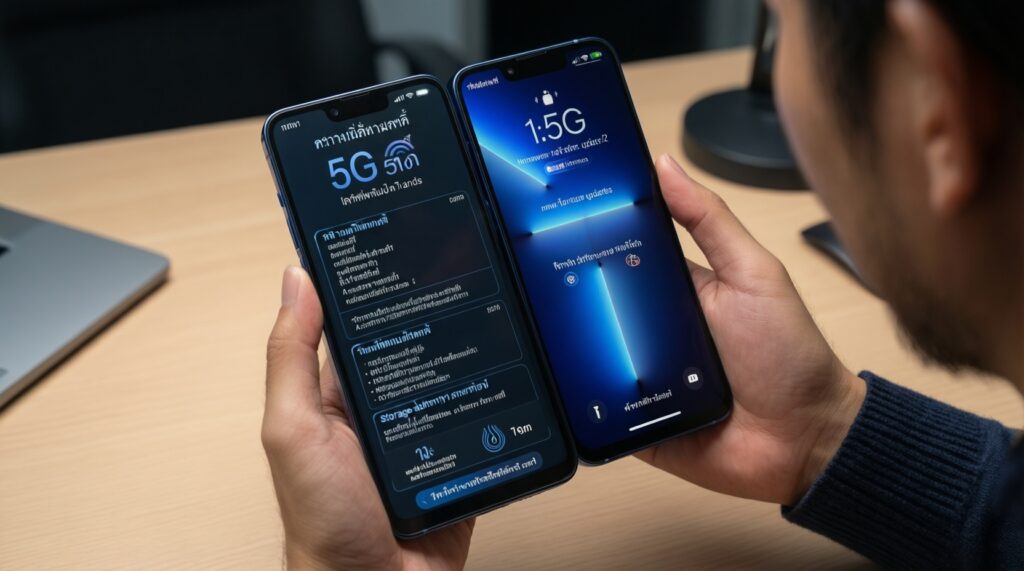
- LTE/5G band compatibility for Thailand (don't assume "global" means your bands).
- Software track record: fewer "custom ROM" promises, more evidence of stable updates/patches.
- Storage type and RAM realism: look for credible storage specs and avoid "expanded RAM" gimmicks.
- Thermal behavior: performance that doesn't crash after a few minutes of gaming/video.
- Battery + charging standard: consistent mention of PD/QC across photos, description, and reviews.
- Camera expectations: prioritize reliable focus and processing over megapixel claims.
- Warranty/returns logistics: local warehouse, easy DOA process, or a known store with repeat buyers.
- Build basics: screen quality (brightness/viewing angles), speaker clarity, and usable haptics.
| Smartphone "type" to shop for | Key specs to confirm | Price range (relative) | One-line verdict |
|---|---|---|---|
| Balanced daily-driver budget Android | Good LTE bands, stable UI, decent storage, usable camera processing | Entry to mid | Best default choice if you want fewer surprises. |
| Battery-first budget phone | Consistent charging standard, standby drain reports, real-world screen-on time feedback | Entry | Worth it if you travel or work long shifts and hate charging anxiety. |
| Performance-leaning budget phone | Thermals, sustained performance reviews, stable GPU drivers | Mid | Pick this only if you can confirm sustained performance, not just benchmarks. |
Persona picks (smartphones)
- Tech enthusiast: choose the performance-leaning type, but only with strong evidence of stable firmware and thermals.
- Budget shopper: choose the balanced daily-driver type from a store with consistent review history and clear return terms.
- Everyday user: choose the battery-first type if you mostly use chat, maps, and video; it reduces daily friction.
True Wireless Earbuds That Punch Above Their Price
For earbuds, "good" means predictable connection, acceptable mic in real streets, and tips that fit. Treat listings as parts lists: codecs, controls, and charging case behavior matter more than flashy driver counts-especially when reading รีวิวสินค้า AliExpress แนะนำ threads.
| Option | Who it suits | Pros | Cons | When to choose |
|---|---|---|---|---|
| Budget ANC-focused TWS | Commute, cafés, light travel | Quieter background noise; more comfortable at lower volume | ANC quality varies; wind noise can be annoying | Choose if your main pain is constant low-frequency noise (BTS/traffic). |
| Gaming/low-latency mode TWS | Mobile gaming, short-form video creators | Better lip-sync feel; snappier controls | Often weaker mic tuning; can drain battery faster | Choose if you prioritize latency over "audiophile" tuning. |
| Call-quality first TWS | Work calls, sales, frequent voice notes | Clearer voice pickup; steadier connection | Sound may be less "fun"; ANC may be basic | Choose if you take calls outdoors and can't repeat yourself. |
| Sports/secure-fit TWS (wings/hooks) | Gym, running, motorcycle helmet use | Stays in place; less readjusting | Bulkier case; comfort depends on ear shape | Choose if standard buds fall out or you sweat a lot. |
| Ultra-compact daily TWS | Everyday carry, pockets, casual listening | Small case; easy to keep with you | Battery per charge can be lower; bass may be limited | Choose if you value portability more than maximum features. |
Persona picks (earbuds)
- Tech enthusiast: gaming/low-latency mode TWS if you can tolerate average mic performance.
- Budget shopper: ultra-compact daily TWS from a seller with consistent feedback on connection stability.
- Everyday user: call-quality first TWS if you use voice notes and calls daily-small upgrade, big impact.
Smartwatches and Fitness Bands with Reliable Tracking
With budget wearables, "reliable" means consistent trends, not medical precision. To choose well, start from your scenario and match sensors, comfort, and app behavior to it.
Scenario-based recommendations
- If you want basic health habits (steps, sleep trend, reminders), then a light fitness band is safer than a "feature-packed" watch with unstable apps.
- If you do outdoor walks/runs, then pick a watch type that supports onboard GPS (or clearly states how phone-assisted GPS works) to avoid messy route logs.
- If you lift weights or do HIIT, then prioritize strap comfort, quick controls, and reliable HR trend-not dozens of niche workout modes.
- If you need notifications and calls, then focus on stable Bluetooth connection and readable screen; "calling" features are only worth it if the mic/speaker is usable in real noise.
| Wearable type | Key specs to confirm | Price range (relative) | One-line verdict |
|---|---|---|---|
| Fitness band (lightweight) | Comfort, battery behavior, simple app with stable syncing | Entry | Best for habits and consistency with minimal fuss. |
| Everyday smartwatch (mid features) | Screen readability, notification stability, strap ecosystem | Entry to mid | Good when you want "phone companion" functions more than sports depth. |
| Sport-leaning watch | GPS clarity (onboard vs phone), workout controls, sweat handling | Mid | Worth it if you exercise several times a week and review your trends. |
Persona picks (wearables)
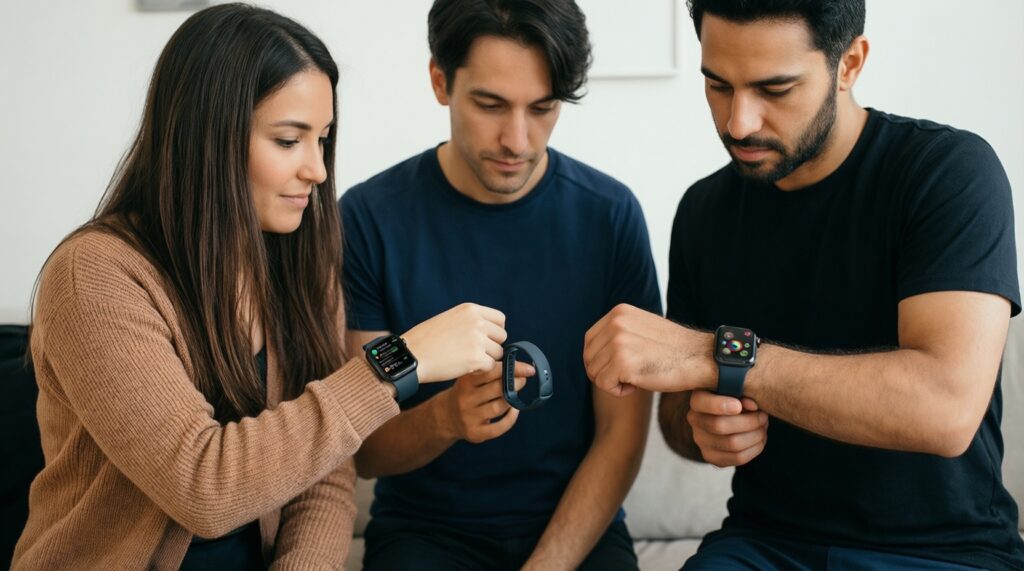
- Tech enthusiast: sport-leaning watch if you'll actually analyze trends and accept occasional app quirks.
- Budget shopper: fitness band with the simplest, most stable syncing reports.
- Everyday user: everyday smartwatch if notifications and screen readability matter more than workout modes.
Home Gadgets Under $50 That Actually Improve Daily Life
Most "smart" home gadgets fail on setup and reliability, not features. Use this quick checklist to pick items that work even if you never open an app again.
- Define the single job (air quality check, lighting, desk ergonomics, cable management).
- Choose the simplest power model: battery when you need placement freedom; USB-powered for 24/7 use.
- Check the physical constraints: plug type, size, mounting method, cable length.
- Prefer "manual-first" operation (buttons/knobs) over app-only control.
- Verify consumables: filters, pads, refills-are they easy to reorder?
- Scan reviews for failure modes: noisy fans, weak adhesive, unstable Wi‑Fi pairing.
| Home gadget category | Key specs to confirm | Price range (relative) | One-line verdict |
|---|---|---|---|
| USB desk light with adjustable color | Flicker behavior, dimming steps, stable arm joints | Entry | High impact for comfort; low risk if build quality is decent. |
| Smart plug / timer plug | Local manual override, power rating clarity, app stability if needed | Entry | Best "automation per baht" if you keep it simple. |
| Cable and charging station organizers | Heat handling, spacing, non-slip base | Entry | Small purchase that reduces daily clutter immediately. |
Persona picks (home gadgets)
- Tech enthusiast: smart plug if you already have routines and will actually configure schedules.
- Budget shopper: cable/charging organizer-low cost, zero compatibility risk.
- Everyday user: USB desk light for comfort and productivity without any ecosystem lock-in.
Portable Power Solutions: Powerbanks and Fast Chargers
Power is where cheap listings can become expensive. For อุปกรณ์เสริมมือถือราคาถูก AliExpress, treat powerbanks and chargers as safety products first and convenience products second.
Common buying mistakes to avoid
- Buying a powerbank by claimed capacity alone, ignoring port output standards and real charging behavior.
- Assuming "fast charge" works for your phone without matching USB-C PD / QC profiles and cable type.
- Choosing ultra-cheap multi-port chargers that overheat under load (watch for review mentions of heat and coil whine).
- Ignoring the cable: thin cables can throttle charging, drop connection, or run hot.
- Overvaluing the number of ports versus total shared output.
- Skipping travel practicality: plug type, size, and whether it blocks adjacent sockets.
- Not checking for basic safety markings and consistent labeling across product photos.
- Buying "rugged" powerbanks that are bulky but don't offer better port selection or protection in practice.
| Power option | Key specs to confirm | Price range (relative) | One-line verdict |
|---|---|---|---|
| Single-port USB-C PD wall charger | PD profiles shown, heat feedback in reviews, plug compatibility | Entry | Safest upgrade for most people: simple, efficient, predictable. |
| Multi-port desktop charger | Total shared output clarity, spacing, thermal stability | Mid | Best for desk setups if total output is clearly stated and reviewed. |
| USB-C PD powerbank (travel) | PD in/out support, port durability, real-world charging reports | Entry to mid | Worth it if you move a lot and charge multiple devices. |
Persona picks (power)
- Tech enthusiast: multi-port desktop charger if you manage several devices and want a cleaner setup.
- Budget shopper: single-port USB-C PD wall charger-best reliability per spend.
- Everyday user: USB-C PD powerbank if you often end the day under 20% battery.
Action Cams, Drones and Camera Gear for Content Creators
For creators buying ของใช้ไอทีราคาถูกจาก AliExpress, pick based on the bottleneck in your workflow: the best for stable walking footage is usually a gimbal or stabilization-focused setup; the best for hands-free POV is a helmet/chest mount plus an action-cam style device; the best for quick product shots is lighting and a phone tripod-small gear often improves output more than upgrading the camera body.
| Creator gear type | Key specs to confirm | Price range (relative) | One-line verdict |
|---|---|---|---|
| Phone tripod + mount | Clamp stability, head tilt range, packing size | Entry | Best starting point for sharper, more consistent footage. |
| Clip-on mic (wired or wireless-style kit) | Connector type, monitoring method, wind handling | Entry to mid | Audio upgrades perceived quality faster than most camera upgrades. |
| Action-cam accessories (mounts, cages, handles) | Mount compatibility, screw quality, vibration resistance | Entry | Choose accessories first when your camera is fine but your shots are shaky. |
| Beginner drone accessories (spares, cases) | Propeller fit, battery storage safety, transport protection | Entry | Only buy after you confirm your exact model compatibility. |
Persona picks (creator gear)
- Tech enthusiast: mic kit plus a stable mounting ecosystem to standardize your setup across shoots.
- Budget shopper: tripod + mount first; it improves every video call, photo, and clip.
- Everyday user: action-cam accessories if you already own a camera but struggle with handling.
Practical Buying Concerns Addressed
How do I reduce the risk of getting a "fake spec" gadget?
Cross-check the listing photos, manual screenshots, and review images for the same specs. If the spec appears only in the title but not in photos or settings screens, treat it as unverified.
What seller signals matter most on AliExpress for gadgets?
Look for consistent review history on the same type of product, clear warranty wording, and recent photo reviews. A store that sells everything from shoes to SSDs is higher risk for electronics quality control.
Should I buy the cheapest option if I'm a budget shopper?
Not for power and charging. For chargers/powerbanks, pay for clear standards support and stable thermals; for low-risk items like organizers, cheaper is often fine.
Do I need global ROM / multi-language support for phones?
Yes if you rely on Thai/English UI, Google services, and stable notifications. If the listing is unclear about ROM and services, assume extra setup friction.
Which gadgets are safest to buy first if I'm new to AliExpress?
Start with low-compatibility-risk items: cable organizers, tripods/mounts, and simple USB desk lights. Move to earbuds and wearables after you understand reviews and return logistics.
How do I decide between ANC earbuds and call-quality earbuds?

If your pain is noise (commute), prioritize ANC-focused TWS. If your pain is being understood (work calls), prioritize call-quality first TWS even if ANC is basic.