
If you are choosing between Mi Band and a no-name Chinese smart band, the biggest differences are not the specs on the box but the firmware update discipline, the companion app's data integrity, and day-to-day stability (pairing, sync, battery, and recovery). For most buyers in Thailand, choosing Mi Band is about predictable software support rather than the lowest Mi Band ราคา.
What Really Differs: Software, Apps and Stability at a Glance
- Firmware maturity: established vendors ship safer OTA flows (verification, staged rollouts) while no-name devices can be unpredictable.
- App reliability: a stable app preserves history and settings across updates; weaker apps lose permissions, sessions, or past data.
- Bluetooth behavior: reconnection logic matters more than "BT version" for real-life use on Android phones common in TH.
- Sensor processing: better filtering reduces false steps/HR spikes and makes sleep/stress trends usable.
- Privacy and accounts: account models, telemetry controls, and OTA authenticity differ widely.
- Support reality: warranty handling, firmware bug fixes, and app maintenance determine long-term value for a สมาร์ทแบนด์ นาฬิกาอัจฉริยะ ราคาถูก.
Firmware foundations: update cadence, fail-safes and rollback policies
Use these criteria to judge "software quality" before you buy. Treat them like a checklist when you compare Mi Band vs generic brands (เปรียบเทียบ Mi Band กับสมาร์ทแบนด์จีน) and when you decide where to ซื้อ Mi Band (official store, authorized retailer, or marketplace).
- OTA authenticity: firmware packages should be signed/verified by the device before install (ask: does the vendor describe verification, or is it silent?).
- Fail-safe update flow: if an update fails, the band should boot into a recovery mode rather than bricking.
- Rollback path: ability to revert to a stable version (or at least a documented recovery) when a new firmware breaks syncing.
- Update discipline: predictable cadence and clear release notes matter more than "frequent updates."
- Regional compatibility: Thai language, phone models sold in TH, and notification rendering for Thai apps should be explicitly supported.
- Settings persistence: alarms, watchfaces, and notification rules should survive firmware/app updates and phone changes.
- Sensor calibration updates: vendor improves filtering and algorithms over time; no-name often stays static after launch.
- Battery/charging protections: firmware should manage charge states cleanly to avoid random drain after updates.
Companion apps compared: data integrity, UX and third‑party integrations
Decision rule: if you care about long-term trends (sleep, HR, activity history), prioritize the app ecosystem. Most "cheap" bands fail here: data gets stranded on-device, sync is inconsistent, or permissions break after Android updates. That's the hidden cost behind the attractive Mi Band ราคา or any สมาร์ทแบนด์ นาฬิกาอัจฉริยะ ราคาถูก listing.
| Option | Who it fits | Pros | Cons | When to choose |
|---|---|---|---|---|
| Mi Band + official Xiaomi companion app | Most buyers who want predictable daily use | More consistent sync; better device management; clearer update path | Account required; telemetry/privacy settings may take effort to tune | Choose when stability and support outweigh the cheapest sticker price (common "ซื้อ Mi Band" reason) |
| Mi Band + third-party companion app | Power users who want custom notifications/automation | Advanced controls; sometimes better notification routing; flexible exports | Can break after firmware updates; features depend on developer maintenance | Choose when you accept occasional troubleshooting to gain control |
| Recognizable Chinese brand band + its official app | Budget buyers who still want a maintained app | Often decent UX; may support common integrations | Support quality varies by region; firmware/app mismatches can happen | Choose if you can validate app reviews, update history, and local warranty |
| No-name band + generic "Fit/Health" style app | One-time/short-term use, minimal expectations | Low upfront cost; quick setup (sometimes) | Higher risk of data loss; unstable permissions; unclear ownership of data | Choose only if you can tolerate resets, re-pairing, and shallow history |
| No-name band + QR-code APK (outside Play Store) | Not recommended for most users | May unlock full features the store app lacks | Higher security risk; updates are manual; compatibility breaks easily | Choose only if you can assess APK safety and accept privacy trade-offs |
Practical check before buying: search the app name in your phone's app store, read recent reviews after the latest Android version updates, and confirm whether the vendor publishes release notes. This is often the fastest way to answer "สมาร์ทแบนด์จีน ยี่ห้อไหนดี" without relying on marketing specs.
Connectivity mechanics: Bluetooth stacks, reconnection logic and interference
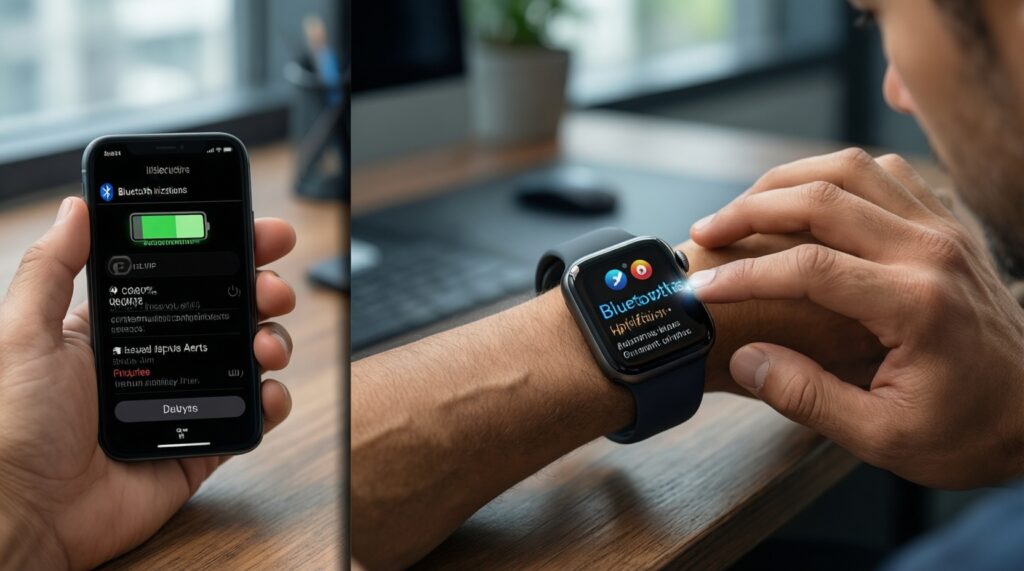
Use this as a "symptom → likely cause → check/action" guide. Bluetooth problems are rarely fixed by changing a watchface; they're usually firmware/app behavior plus phone OS power management.
- If notifications arrive late or in bursts, likely cause is aggressive battery optimization on the phone or unstable background service. Check/action: whitelist the companion app from battery restrictions, allow background activity, and keep notification access enabled.
- If the band disconnects when you switch between Wi‑Fi and mobile data, likely cause is the app being killed or losing permission tokens. Check/action: lock the app in recents (Android), re-check Bluetooth permission, and test with "always allow" nearby devices permission.
- If pairing succeeds but syncing stalls, likely cause is a fragile reconnection protocol or corrupted sync state. Check/action: "forget" the device in Bluetooth settings, remove it in the app, reboot both, then pair from inside the app (not from system Bluetooth menu).
- If the band works outdoors but fails in crowded places (malls, BTS/MRT), likely cause is interference and poor channel hopping/retry logic. Check/action: reduce concurrent BT devices (earbuds + car + band), update firmware, and test with phone carried closer (pocket vs bag).
- If it connects to one phone brand but not another, likely cause is vendor-specific Bluetooth stack quirks. Check/action: check community reports for your phone model; this is where established ecosystems (often Mi Band) typically win.
Sensor data handling: onboard processing, filters and event detection
Pick based on how the device treats noisy real-world signals. Follow this quick selection algorithm (intermediate-friendly, no lab gear required).
- Decide your primary metric: steps, HR trends, sleep, or workouts; avoid "everything" as the decision driver.
- Check whether the band supports continuous vs spot measurements for that metric (and whether the app explains sampling intervals clearly).
- Verify that the app shows raw-ish trends (graphs over time) rather than only daily totals; totals alone hide filtering problems.
- Look for event detection you actually need (auto-workout detection, abnormal HR alerts). If it exists but triggers falsely, it becomes noise.
- Test return policy logic: choose a seller that allows returns if HR/sleep detection is obviously unstable in your routine.
- If you frequently change phones, prioritize a system with cloud or account-based history sync you can restore.
- Prefer devices with a track record of algorithm fixes via firmware/app updates rather than "hardware-only" promises.
Security posture: telemetry, account models, OTA authenticity and privacy
Common buying mistakes that create "cheap now, costly later" outcomes-especially with no-name devices and QR-code apps.
- Installing an APK from a QR code without verifying publisher identity and update channel.
- Granting all permissions by default (contacts, storage, location) when only notifications and Bluetooth are needed for basic use.
- Assuming no account means more privacy: it can also mean no backup, weaker fraud controls, and unclear data ownership.
- Ignoring OTA integrity: if firmware authenticity is not verifiable, updates can become an attack surface.
- Not checking data export options: if you cannot export, you are locked into the app's stability forever.
- Confusing "works now" with "safe long-term": an app that breaks after Android updates can push you toward unsafe sideloading.
- Overlooking login and recovery: weak account recovery can permanently block access to your history after phone loss.
- Buying from sellers with unclear warranty and then relying on firmware fixes that never arrive.
Operational reliability: battery behavior, crash recovery and vendor support
- If you hate troubleshooting and want predictable daily sync: pick Mi Band with the official app from an authorized channel; this is usually the safest "buy once, use daily" path when comparing เปรียบเทียบ Mi Band กับสมาร์ทแบนด์จีน.
- If you want maximum control and don't mind maintenance: Mi Band plus a reputable third-party app can be the most flexible, but plan for occasional breakage after firmware updates.
- If the goal is lowest upfront cost: a no-name band can work for basics, but treat it as disposable software-wise-choose only with an easy return policy and minimal privacy exposure, even if it looks like the best สมาร์ทแบนด์ นาฬิกาอัจฉริยะ ราคาถูก deal.
- Start: Do you need stable history across phone changes?
- Yes → prioritize a maintained account-based ecosystem (often Mi Band).
- No → go to next decision.
- Next: Are notifications and reconnection reliability critical (work chats, banking OTP prompts)?
- Yes → avoid no-name + generic apps; choose a device with consistent app updates.
- No → go to next decision.
- Next: Are you willing to troubleshoot permissions, battery optimization, and pairing resets?
- Yes → you can consider third-party apps or some non-no-name Chinese brands.
- No → choose the most mainstream ecosystem you can (often the practical answer when deciding ซื้อ Mi Band).
Overall: for a "set it and forget it" experience, Mi Band tends to be the safer software bet; for power users, Mi Band with a third-party app can deliver the most control; for strict budgets, a known (not no-name) Chinese brand with a maintained app is usually a better compromise than a completely generic band, even when Mi Band ราคา is tempting at flash-sale levels.
Short, Practical Answers Buyers Need
Is Mi Band always the best value in Thailand?
Not always, but it's often the lowest-risk choice because the firmware and app ecosystem are more predictable. Value depends on whether you prioritize stable sync and updates over the lowest upfront price.
When does a no-name Chinese band make sense?
When you only need basic step counting and simple notifications and you're fine with occasional resets. Buy only with easy returns and avoid sideloaded APKs.
What should I check besides Mi Band ราคา before buying?
Check app store reviews for the companion app, especially after recent Android updates. Also verify warranty/returns and whether firmware updates are still being released.
Why do cheap bands disconnect so often?
Usually it's weak reconnection logic plus Android killing the background service. Fixes often require permission/battery settings and sometimes a better-supported app ecosystem.
How can I judge "สมาร์ทแบนด์จีน ยี่ห้อไหนดี" without testing every device?
Pick brands with a clearly maintained companion app, documented updates, and consistent seller support in TH. Avoid products that rely on QR-code APK installs for full functionality.
Is "เปรียบเทียบ Mi Band กับสมาร์ทแบนด์จีน" mainly about sensors?
For most users it's more about software stability: syncing, updates, and data retention. Sensor differences matter, but unstable firmware/app can make good sensors unusable.
Where is the safest place to ซื้อ Mi Band?
Prefer authorized retailers or official storefronts where returns and warranty are clear. This reduces the risk of mismatched regional firmware or unsupported devices.