
To hunt AliExpress discounts like a pro, combine the right coupon layers, use Coins only where they actually reduce the checkout total, buy during high-intent sale windows, and verify the "discount" against recent price history. The safest workflow is: collect coupons, pre-build a cart, time the order, then validate final price and shipping.
Quick-win checklist for scoring AliExpress discounts
- Collect platform coupons and seller coupons before adding items to your final cart (start with คูปอง AliExpress).
- Check if a โค้ดส่วนลด AliExpress applies to your cart total and category, not just a single item.
- Use Coins only when they visibly reduce the payable amount at checkout (see วิธีใช้เหรียญ AliExpress tips below).
- Plan purchases around major ช่วงเซล AliExpress and compare against normal-week pricing.
- Verify "deal" labels using price history and shipping-total math, not the crossed-out price.
- Split carts only when it unlocks thresholds (coupon minimum spend, free shipping, or store promo tiers).
Mastering AliExpress coupon types and how to stack them
Who this is for: intermediate buyers in Thailand who already understand cart/checkout basics and want repeatable savings across multiple stores during โปรโมชั่น AliExpress events and normal weeks.
When not to stack: if splitting orders increases shipping cost, removes buyer protection advantages of a single order, or forces you into slower/less reliable shipping options.
Coupon layers you can usually combine
- Platform coupon (AliExpress-issued): applied to qualifying carts, often category- or minimum-spend-based.
- Seller (store) coupon: specific to one store; best when you buy multiple items from the same seller.
- Promo code: the classic โค้ดส่วนลด AliExpress entered at checkout; can be limited by region, category, or min spend.
- Coins/instant discounts: not always "stackable" the way coupons are; treat them as a separate price lever.
Stacking method (safe and predictable)
- Build a "test cart": add your shortlisted items and proceed to checkout to see which discounts actually apply.
- Lock the best combo: prioritize the promo code + platform coupon first, then see if seller coupon still applies.
- Watch thresholds: adjust quantities or add a low-cost filler item only if it unlocks a bigger discount than the filler cost.
Compact tool comparison (pick one workflow)
| Approach/tool | Best benefit | Trade-offs / "cost" |
|---|---|---|
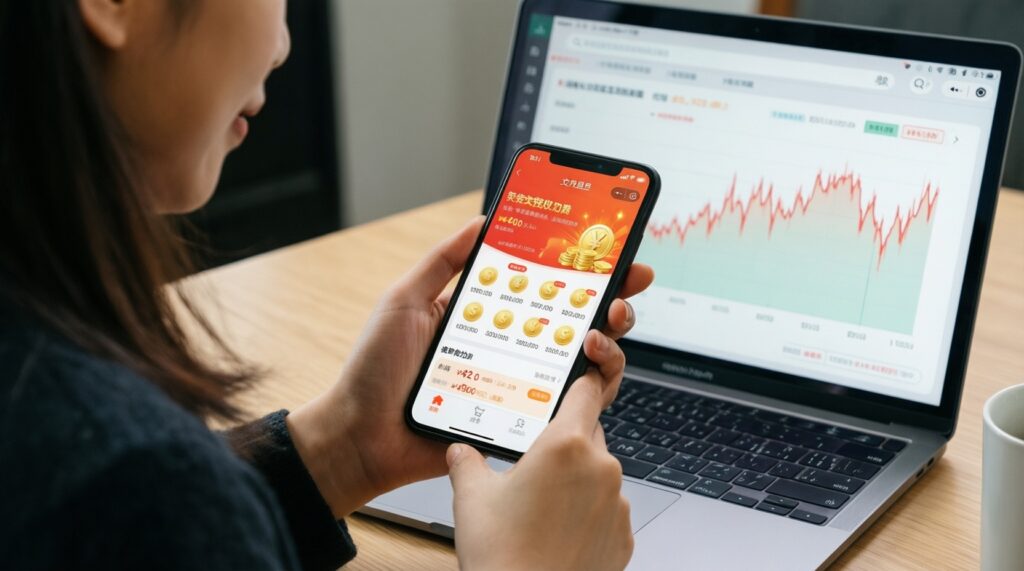
| AliExpress app (Coins + sale tasks) | Most consistent access to Coins offers and event perks | Time cost: daily check-ins/tasks; more notifications |
| Browser + price tracker extension/site | Detects fake discounts using history and trend | May not cover every listing; needs setup and permissions review |
| Manual spreadsheet (your own baseline) | Highest control; works even when trackers fail | More effort; depends on your discipline |
Using AliExpress Coins, cashback and credit tricks efficiently
What you need:
- An AliExpress account with the mobile app installed (Coins features are often more complete in-app).
- A payment method you can reliably complete during peak traffic (card, wallet, or any method you normally use).
- Notification access (optional) to catch time-limited Coin offers and โปรโมชั่น AliExpress drops.
- A simple note or sheet to track your "buy price" target for each item (item price + shipping + taxes/fees shown at checkout).
Coins: the practical วิธีใช้เหรียญ AliExpress approach
- Only count Coins when the payable total drops: ignore Coin banners that don't reduce the final checkout amount.
- Prefer Coins on items you'll buy anyway: avoid "earning" Coins by purchasing random low-value items.
- Check limitations per listing: some offers cap the Coin discount or exclude certain variants.
Cashback/credits (keep it safe)
- Use only official AliExpress cashback/credit mechanisms displayed in your account and checkout.
- Avoid third-party "guaranteed coupon" sellers or account-sharing schemes; they can lead to canceled orders or account risk.
Timing purchases: flash sales, 11.11, 6.18 and off-season opportunities
- Identify the next sale window: shortlist items and note whether they historically discount during ช่วงเซล AliExpress (major events like 11.11 and 6.18) or during smaller flash sales. Use this to decide "buy now" vs "wait."
- Pre-collect discounts: before the sale starts, collect คูปอง AliExpress, store coupons, and any available โค้ดส่วนลด AliExpress so you aren't hunting while stock changes.
- Build two carts: make (A) an "event cart" aimed at hitting coupon thresholds and (B) a "must-buy cart" with only essentials to avoid overspending during hype.
- Expected outcome: you keep flexibility if a promo code doesn't apply or shipping changes.
- Check total cost at checkout (not product page): confirm item price, shipping, and delivery method. If shipping spikes during the event, your "deal" might be worse than normal-week pricing.
- Place orders in priority order: buy limited-stock or high-demand items first, then fill in accessories. This reduces the risk of losing the best-priced variant.
- Re-verify after payment: review the order total and applied discounts in the order details. Screenshot order summary if you need a clean record for later support.
Fast mode (3-5 steps)
- Collect: grab คูปอง AliExpress + store coupons + a working โค้ดส่วนลด AliExpress.
- Cart: add items, then go to checkout to verify real final total (price + shipping).
- Coin check: apply Coins only if the payable amount drops (your core วิธีใช้เหรียญ AliExpress rule).
- Time: buy during the best ช่วงเซล AliExpress window you can wait for, unless stock risk is high.
- Validate: compare against your baseline/price history and confirm shipping method is acceptable.
Price verification: tools and methods to detect real discounts
- Compare checkout total (item + shipping) against your saved baseline price from a normal week.
- Check variant pricing: color/size options can have different "discounts"; verify the exact variant you will buy.
- Confirm the coupon actually applied in the checkout breakdown; don't rely on banners.
- Recalculate threshold logic: ensure adding a filler item doesn't increase shipping or invalidate a better code.
- Verify shipping method changes: some "cheap" deals switch you to slower delivery; confirm timeline and tracking reliability.
- Watch for bundle traps: bundles can look cheaper but include unwanted items; compare per-unit cost.
- Check seller reputation signals: consistent ratings, clear product photos, and recent feedback reduce "cheap but wrong item" risk.
- Confirm returns/dispute conditions for your category (electronics, cosmetics, batteries, etc.).
Seller strategies: negotiating, seller coupons and cart-splitting tactics
- Asking for a discount without specifics: request a store coupon or a clear best price for your exact variant and quantity.
- Splitting orders that increases shipping: test both "one order" vs "split carts" at checkout and choose the lower total.
- Ignoring minimum-spend rules: a seller coupon may require a higher subtotal than your single item.
- Chasing "free gifts" that raise the base price: compare the same item from the same store without the gift.
- Buying from multiple stores just to use a code: if it complicates shipping and returns, the small discount may not be worth it.
- Not confirming what's included: message the seller for clarification on accessories (cables, adapters, batteries) before paying.
- Forgetting time zones during events: seller responses may be slow; plan negotiation before peak sale hours.
- Letting a seller redirect you off-platform: keep payment and agreements inside AliExpress to preserve protections.
Automation and browser tools: extensions, apps and alert workflows
Use automation when you track many items, want to avoid impulse buying, or need repeatable checks during โปรโมชั่น AliExpress.
- Price-drop alerts (tracker extension/site): best when you have a target price and can wait; set alerts for your exact variant and shipping method where possible.
- App notifications for Coins and events: best for Coin-heavy buying and limited-time promos; turn off non-essential notifications to reduce noise.
- Manual "baseline list" workflow: best for high-value items; keep a short list of 5-15 products and log the normal-week checkout total.
- Calendar reminders for 11.11 / 6.18: best if you buy seasonally; schedule "collect coupons" and "checkout verification" reminders 1-2 days before the event.
Practical purchase pitfalls and solutions
Why does my โค้ดส่วนลด AliExpress fail at checkout?
Most failures come from minimum spend, category restrictions, or region eligibility. Rebuild the cart with only qualifying items and confirm the code applies to your country and shipping destination.
Coins show a big banner, but my total doesn't drop-what gives?
Coins only matter if they reduce the payable amount in the final payment step. Treat Coins as optional and proceed only when the checkout breakdown shows a real reduction.
Is it better to buy during ช่วงเซล AliExpress or on normal days?
Buy during sale windows when your checkout total (including shipping) is lower than your baseline. If shipping rises or coupons don't apply, normal-week pricing can be better.
How do I know a โปรโมชั่น AliExpress is a real discount and not price inflation?
Compare the final checkout total against a saved baseline or price history. Ignore crossed-out prices and validate the exact variant and shipping method.
Should I split my cart to maximize คูปอง AliExpress?
Split only when it unlocks a larger net discount after shipping is recalculated. Always test both scenarios at checkout and choose the lower total cost.
Can I ask sellers for extra discounts safely?
Yes-ask for a store coupon or a better price for a specific item/variant and quantity, and keep the conversation and payment on-platform. Avoid off-platform deals to preserve protections.